04/10 18:30 2021
01/03 14:22 2026
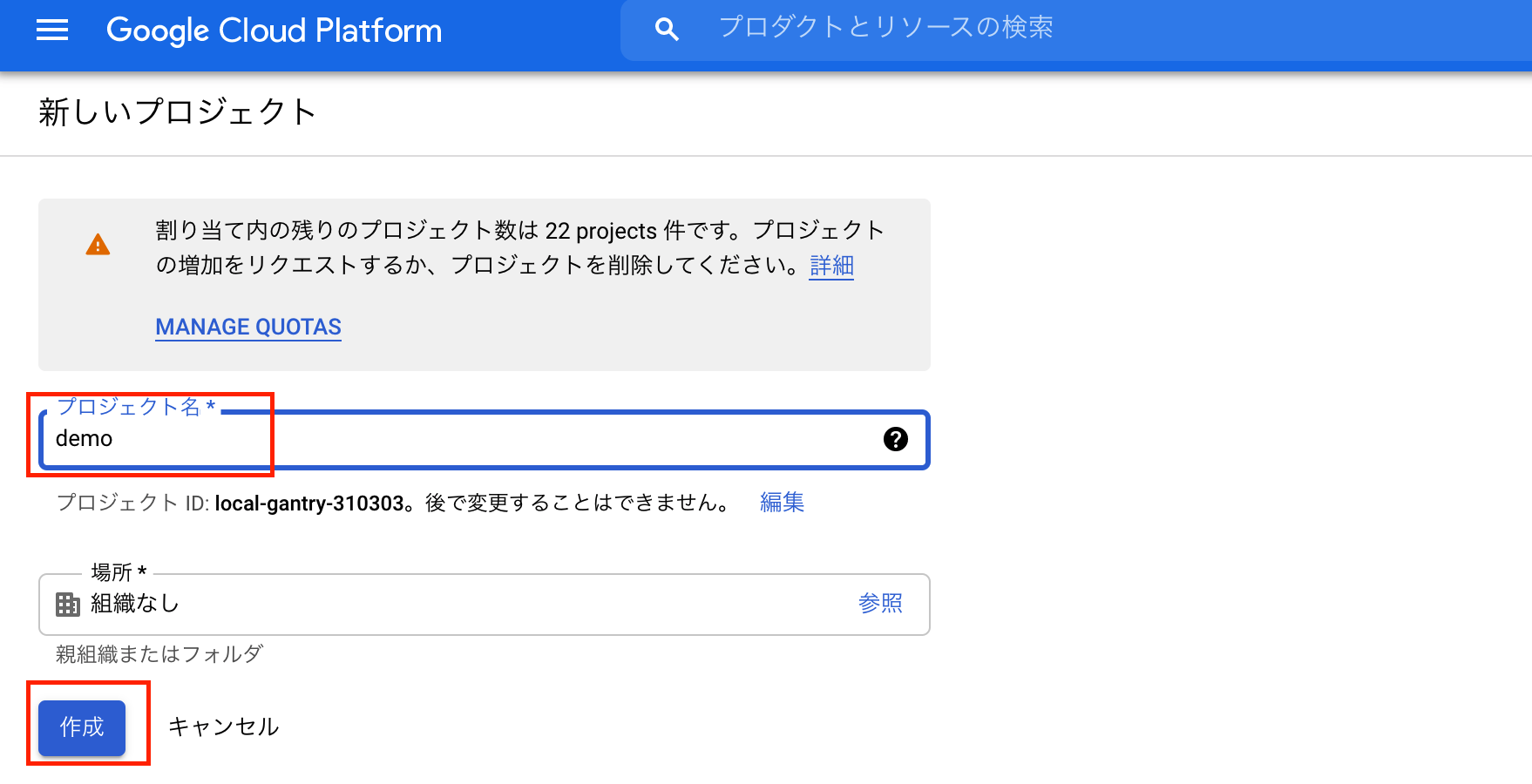
Zenn開発者であるcatnoseさんの以下の記事に影響を受けて、まっさらな状態からstale-while-revalidate可能な環境を構築する手順を確立するべく記事にした。
真新しいことはやっていないため、前述の記事を読むことを強く推奨します。
私自身GCPの経験がほぼないため、前述の記事だと再現出来ない可能性が高く、細かく手順を記載している。
$ yarn create next-app gae-next-sample
$ touch tsconfig.json
$ yarn run dev
# tsconfig.jsonを検知して、typescriptを入れるように催促される
(中略)
Please install typescript and @types/react by running:

        yarn add --dev typescript @types/react
(中略)

$ yarn add --dev typescript @types/react

# pages配下を全てtsxに書き換える(※ brew install renameが必要)
$ find pages -type f | xargs -I{} rename -s js tsx '{}'
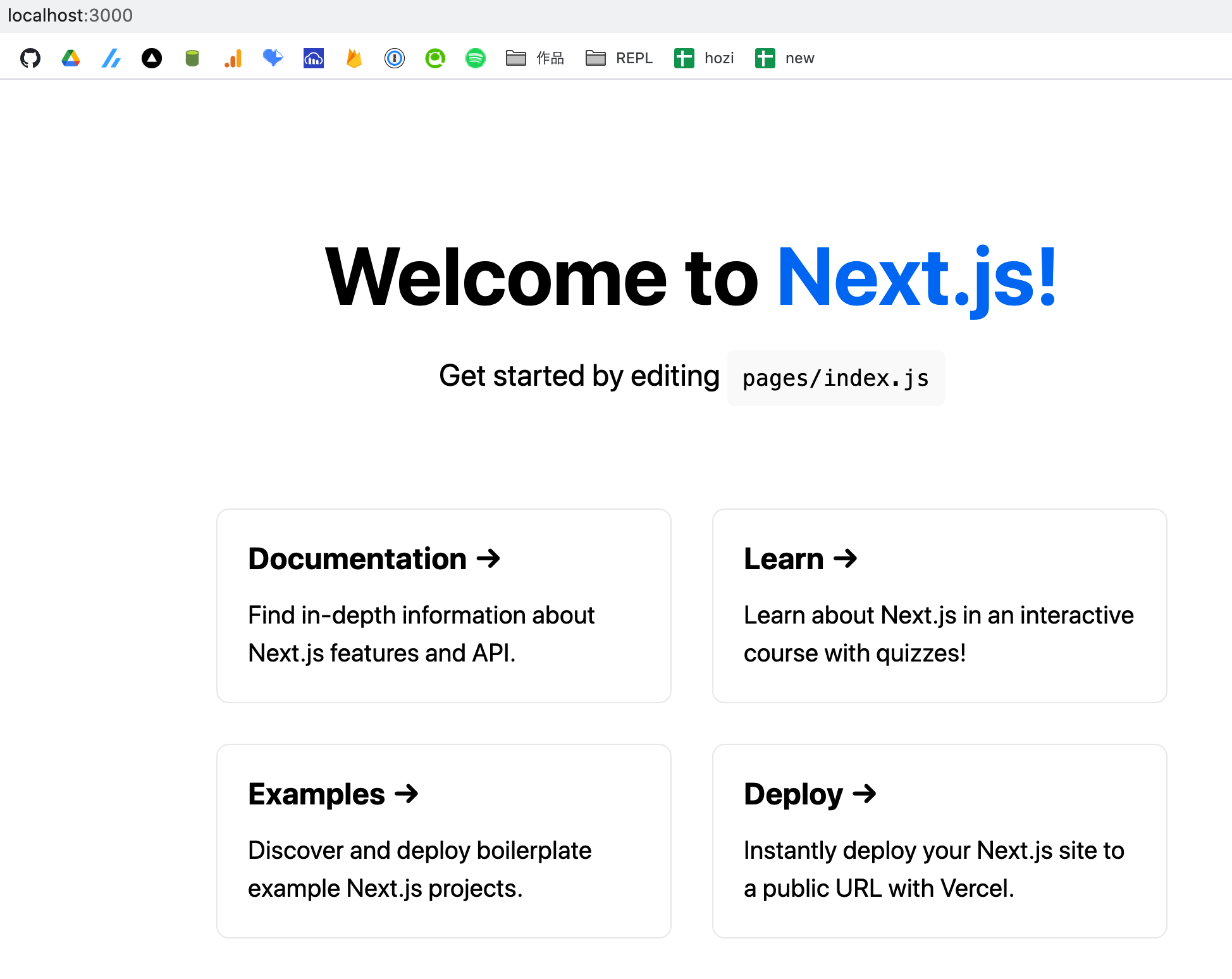
$ yarn dev
確認できました

$ curl https://sdk.cloud.google.com |bash
Do you want to help improve the Google Cloud SDK (y/N)?
# => Enter
Do you want to continue (Y/n)?
# => Enter
Enter a path to an rc file to update, or leave blank to use
[~/.zshrc]:
# => Enter
私の環境のzshは、~/.zshrcではなく、~/.zsh/.zshrcが読み込まれるように設定しているため、下記の内容を~/.zsh/.zshrcへ転記します。
# tabtab source for serverless package
# uninstall by removing these lines or running `tabtab uninstall serverless`
[[ -f ~/.anyenv/envs/nodenv/versions/12.6.0/lib/node_modules/serverless/node_modules/tabtab/.completions/serverless.zsh ]] && . ~/.anyenv/envs/nodenv/versions/12.6.0/lib/node_modules/serverless/node_modules/tabtab/.completions/serverless.zsh
# tabtab source for sls package
# uninstall by removing these lines or running `tabtab uninstall sls`
[[ -f ~/.anyenv/envs/nodenv/versions/12.6.0/lib/node_modules/serverless/node_modules/tabtab/.completions/sls.zsh ]] && . ~/.anyenv/envs/nodenv/versions/12.6.0/lib/node_modules/serverless/node_modules/tabtab/.completions/sls.zsh
# tabtab source for slss package
# uninstall by removing these lines or running `tabtab uninstall slss`
[[ -f ~/.anyenv/envs/nodenv/versions/12.6.0/lib/node_modules/serverless/node_modules/tabtab/.completions/slss.zsh ]] && . ~/.anyenv/envs/nodenv/versions/12.6.0/lib/node_modules/serverless/node_modules/tabtab/.completions/slss.zsh
#THIS MUST BE AT THE END OF THE FILE FOR SDKMAN TO WORK!!!
export SDKMAN_DIR="~/.sdkman"
[[ -s "~/.sdkman/bin/sdkman-init.sh" ]] && source "~/.sdkman/bin/sdkman-init.sh"

# The next line updates PATH for the Google Cloud SDK.
if [ -f '~/google-cloud-sdk/path.zsh.inc' ]; then . ~/google-cloud-sdk/path.zsh.inc'; fi

# The next line enables shell command completion for gcloud.
if [ -f '~/google-cloud-sdk/completion.zsh.inc' ]; then . '~/google-cloud-sdk/completion.zsh.inc'; fi
作成された.zshrcは削除
rm ~/.zshrc
補完が安定しないですが、とりあえず無視して先に進みます
$ gcloud init
You must log in to continue. Would you like to log in (Y/n)?  y

# ここでブラウザが立ち上がる
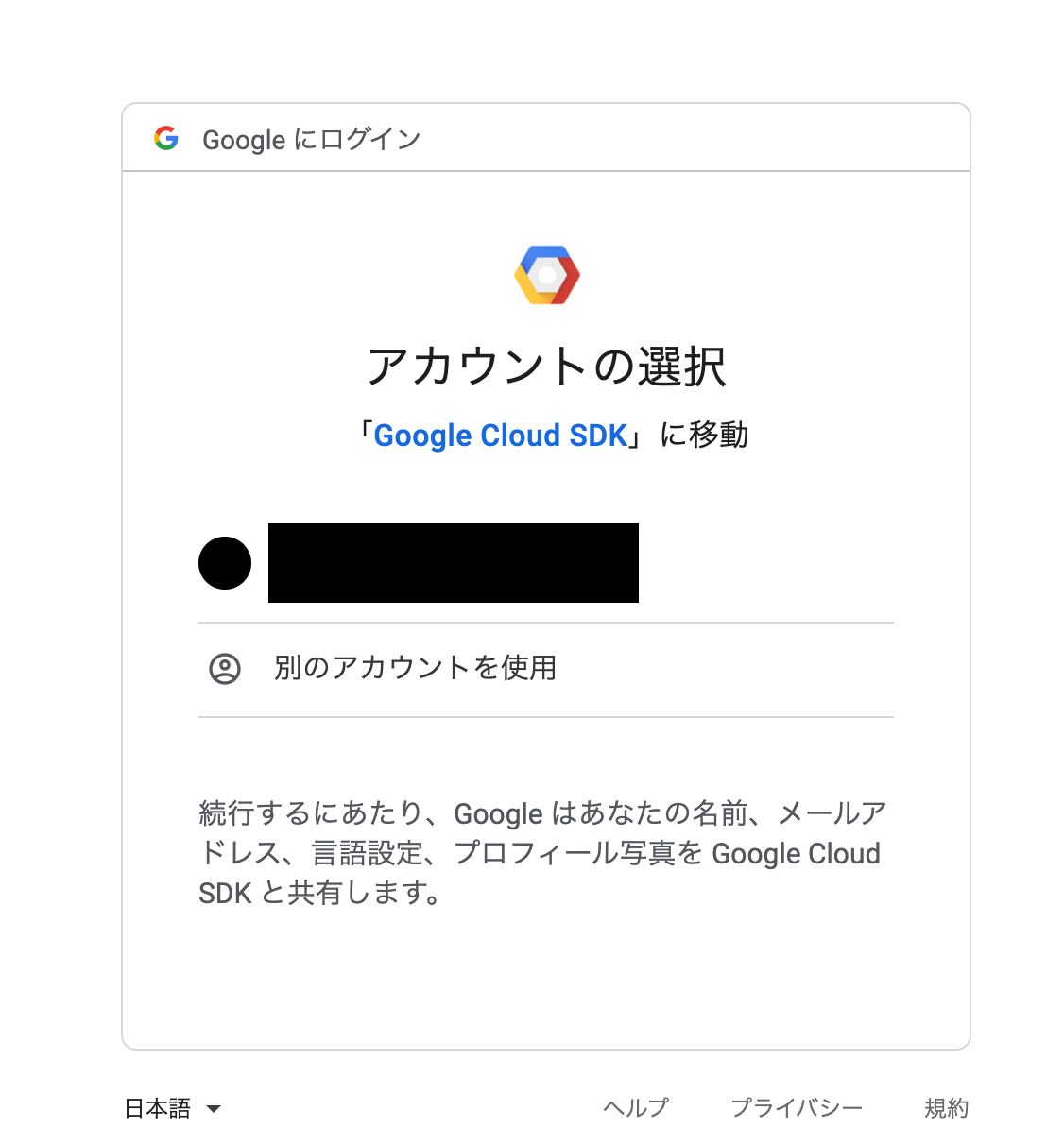
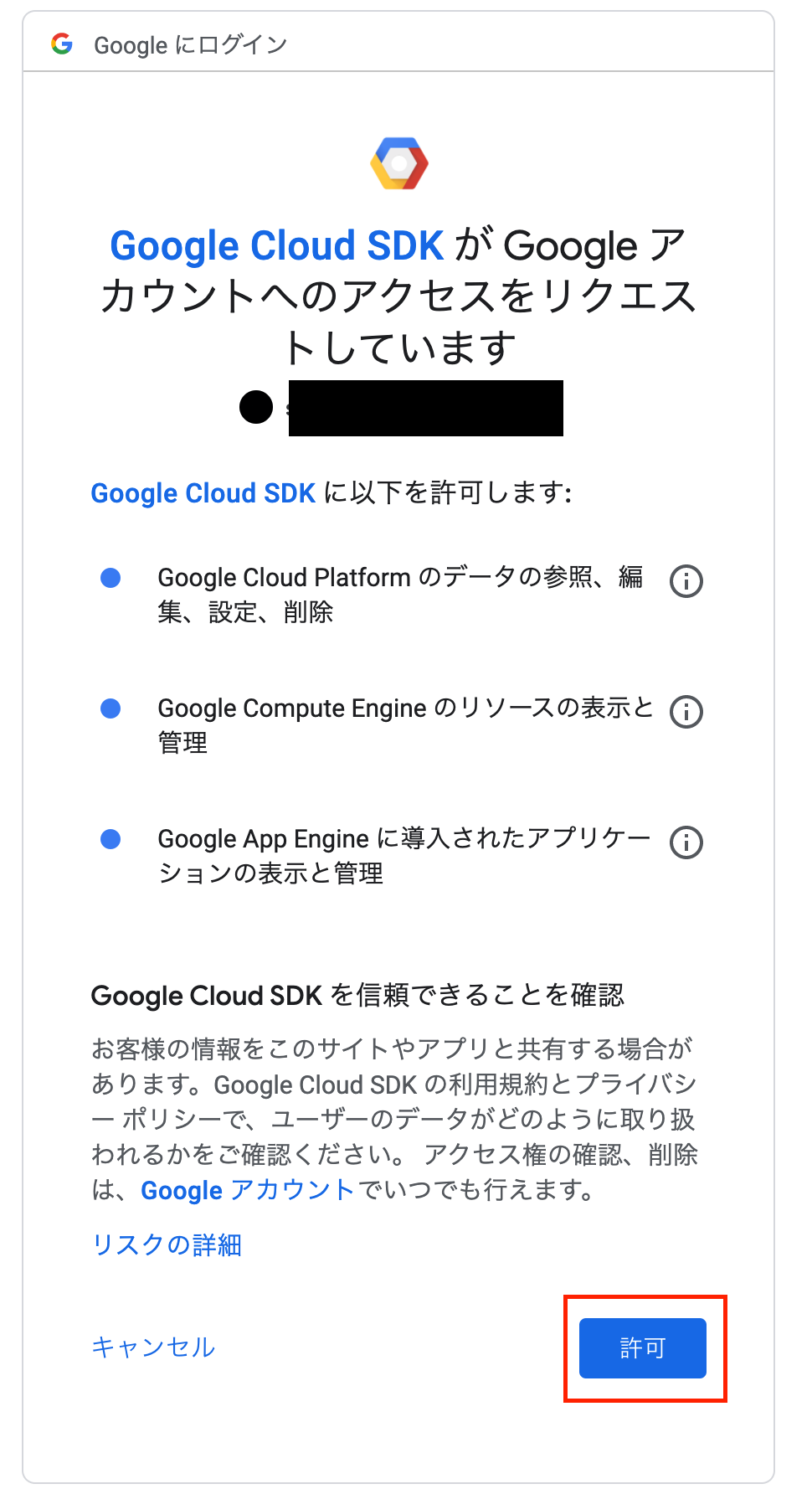
You are logged in as: [hoge@gmail.com].

Pick cloud project to use:
 [1] hoge
 [2] local-gantry-310303 # <-- 最初に作ったやつ
 [3] Create a new project
Please enter numeric choice or text value (must exactly match list
item): 2 # 2を指定する
gcloudコマンドの初期設定完了
-    "start": "next start"
+    "start": "next start -p $PORT"
runtime: nodejs12

handlers:
  - url: /.*
    script: auto
    secure: always
    redirect_http_response_code: 301
$ yarn build && gcloud app deploy
Please choose the region where you want your App Engine application
located:

 # デプロイするリージョン一覧が出力される
 [1] asia-east2    (supports standard and flexible and search_api)
 [2] asia-northeast1 (supports standard and flexible and search_api)
 [3] asia-northeast2 (supports standard and flexible and search_api)
 [4] asia-northeast3 (supports standard and flexible and search_api)
 [5] asia-south1   (supports standard and flexible and search_api)
 [6] asia-southeast2 (supports standard and flexible and search_api)
 [7] australia-southeast1 (supports standard and flexible and search_api)
 [8] europe-central2 (supports standard and flexible)
 [9] europe-west   (supports standard and flexible and search_api)
 [10] europe-west2  (supports standard and flexible and search_api)
 [11] europe-west3  (supports standard and flexible and search_api)
 [12] europe-west6  (supports standard and flexible and search_api)
 [13] northamerica-northeast1 (supports standard and flexible and search_api)
 [14] southamerica-east1 (supports standard and flexible and search_api)
 [15] us-central    (supports standard and flexible and search_api)
 [16] us-east1      (supports standard and flexible and search_api)
 [17] us-east4      (supports standard and flexible and search_api)
 [18] us-west2      (supports standard and flexible and search_api)
 [19] us-west3      (supports standard and flexible and search_api)
 [20] us-west4      (supports standard and flexible and search_api)
 [21] cancel
Please enter your numeric choice:2 # 東京っぽかったので2を選択

Creating App Engine application in project [local-gantry-310303] and region [asia-northeast1]....⠼ # 環境作成が始まる

Services to deploy:

descriptor:      [~/repos/github.com/shuntaka9576/gae-next-sample/app.yaml]
source:          [~/repos/github.com/shuntaka9576/gae-next-sample]
target project:  [local-gantry-310303]
target service:  [default]
target version:  [20210410t132359]
target url:      [https://local-gantry-310303.an.r.appspot.com]

# ↑これで作るよ的な出力

Do you want to continue (Y/n)? Y

Beginning deployment of service [default]...
Created .gcloudignore file. See `gcloud topic gcloudignore` for details.
╔════════════════════════════════════════════════════════════╗
╠═ Uploading 272 files to Google Cloud Storage              ═╣
╚════════════════════════════════════════════════════════════╝
File upload done.
Updating service [default]...⠶
Updating service [default]...done.
Setting traffic split for service [default]...done.
Deployed service [default] to [https://local-gantry-310303.an.r.appspot.com]

You can stream logs from the command line by running:
  $ gcloud app logs tail -s default

To view your application in the web browser run:
  $ gcloud app browse
GAEへのデプロイ完了。
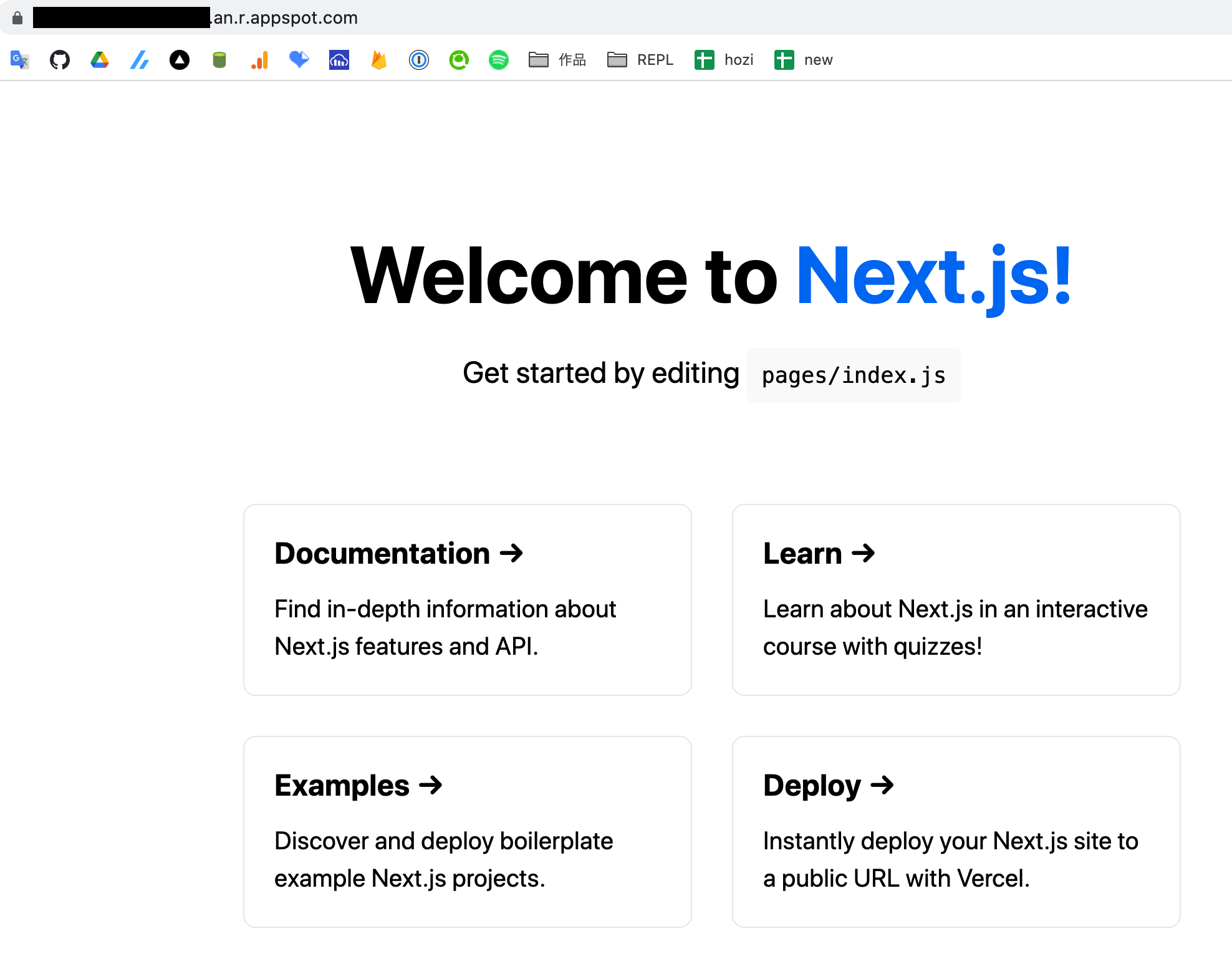
以下のコマンドでブラウザが立ち上がり、GAE上にホスティング出来ていることを確認
$ gcloud app browse
Opening [https://hoge.an.r.appspot.com] in a new tab in your default browser.
GCP公式を参考に進める
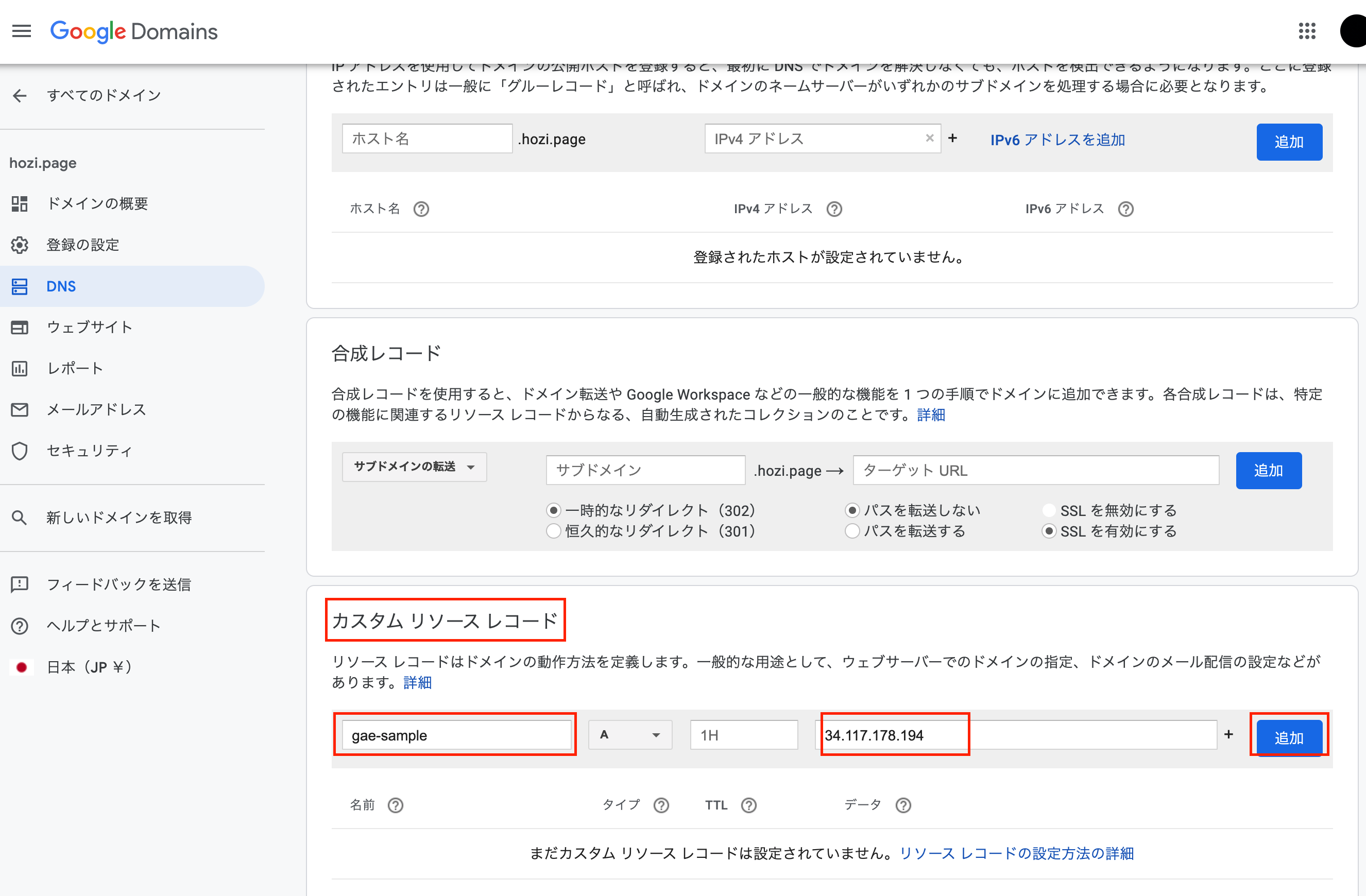
Google Domainsで、ドメインを取得していることを前提とします。 安いドメインだと年間約1200yenなので、買っちゃいましょう。
ドメインには、gae-sample.hozi.pageを割り当てます。
GCPコンソールの外部IPアドレスに移動します。
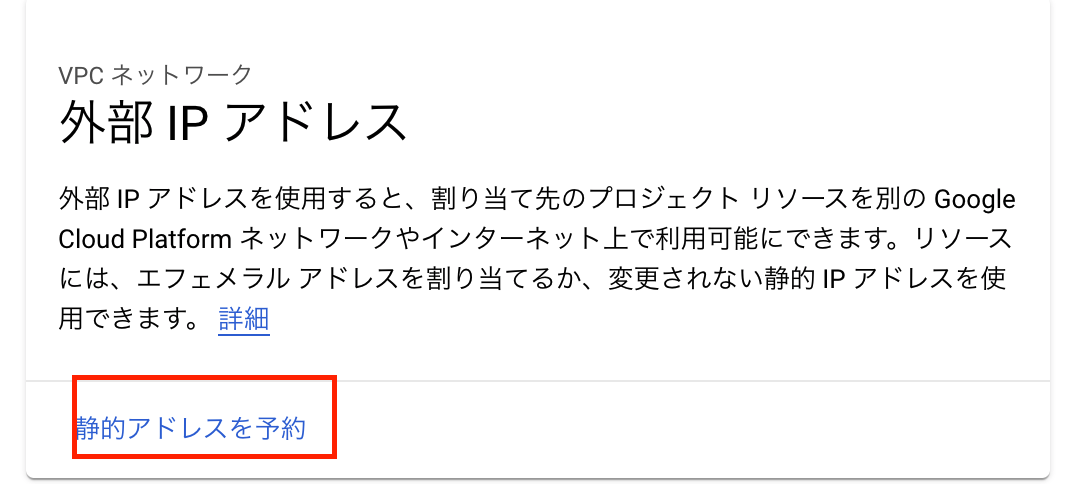
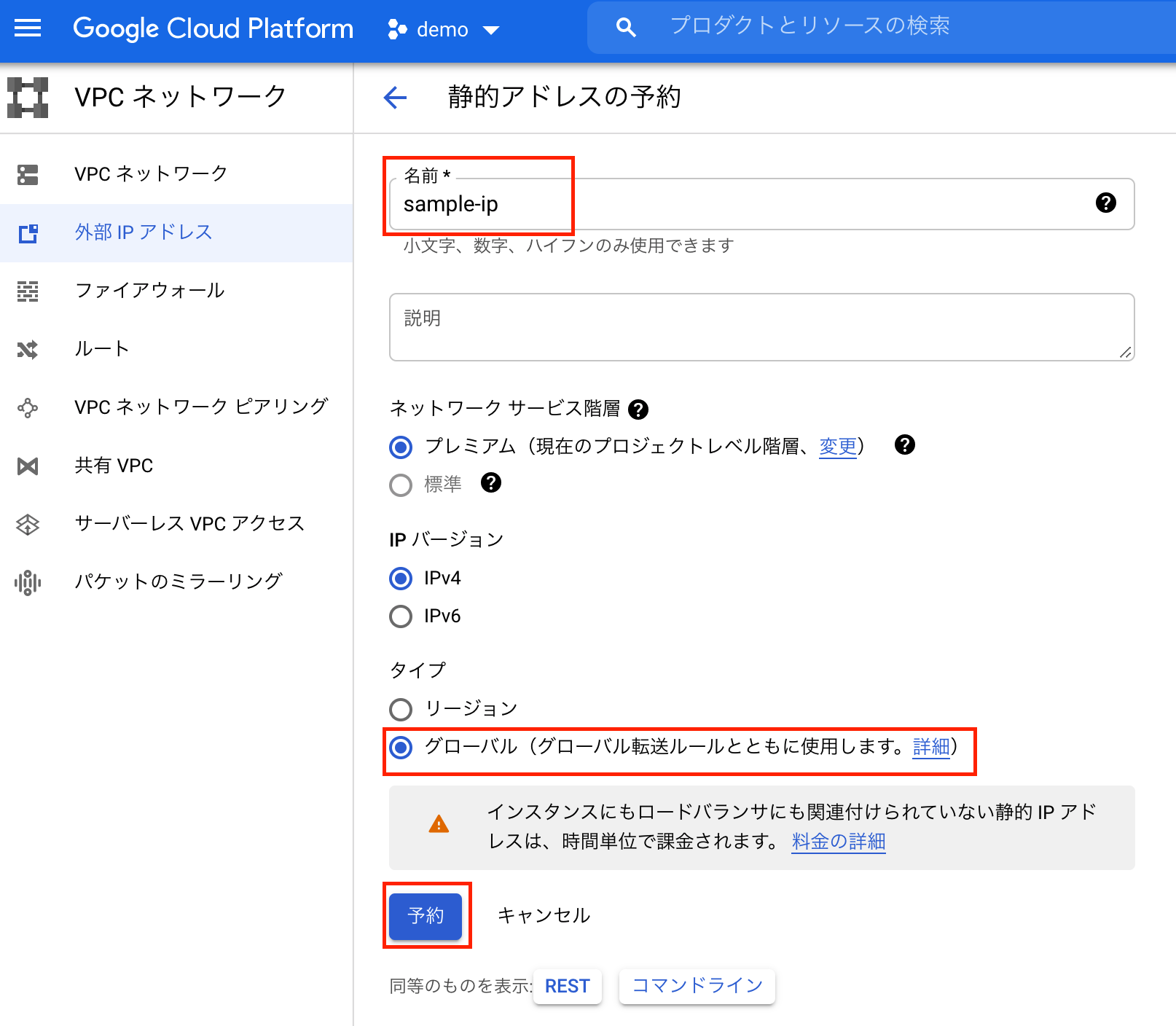
グローバルIPが取得できました。
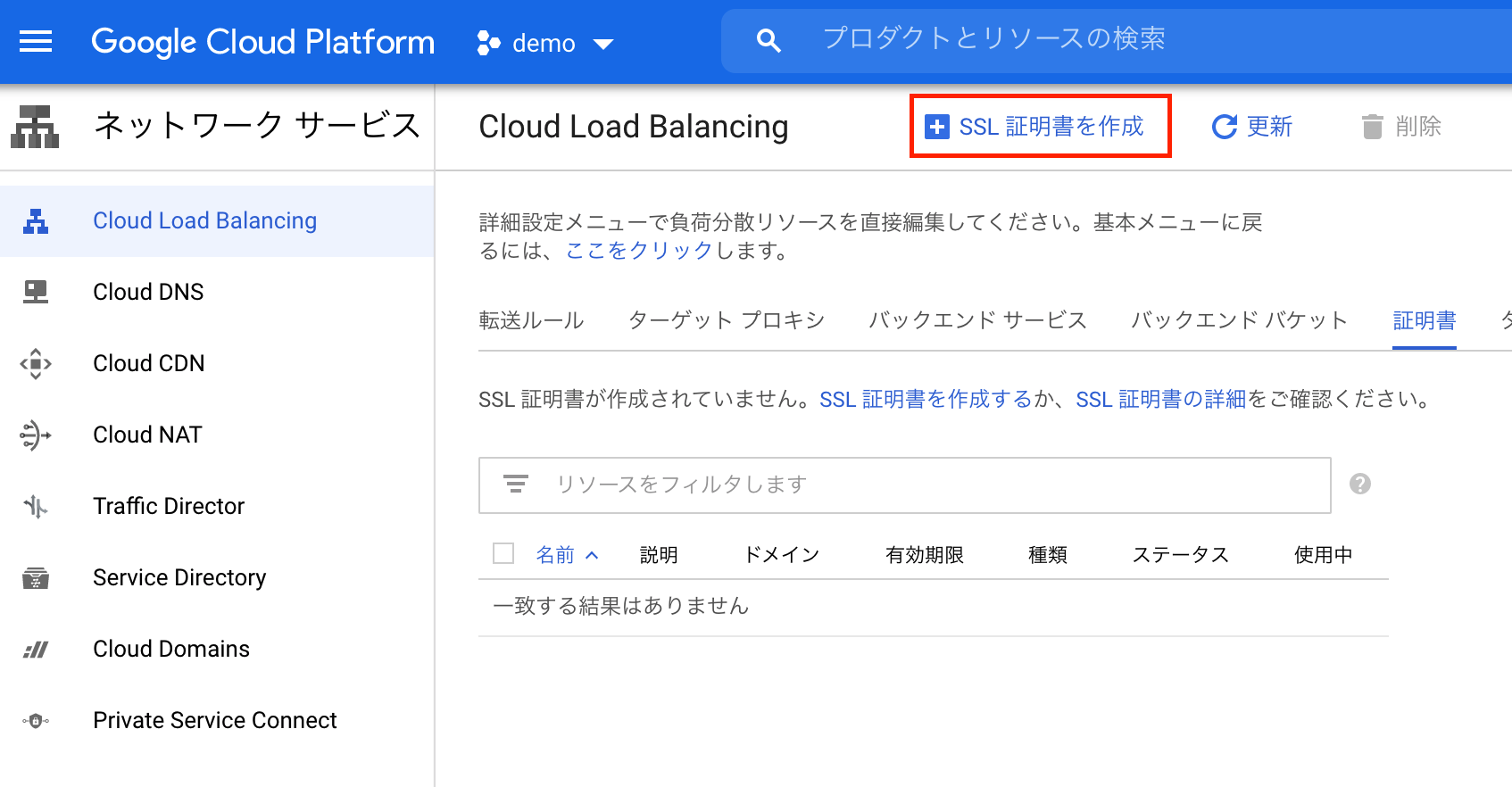
GCPコンソールの証明書ページに移動します。
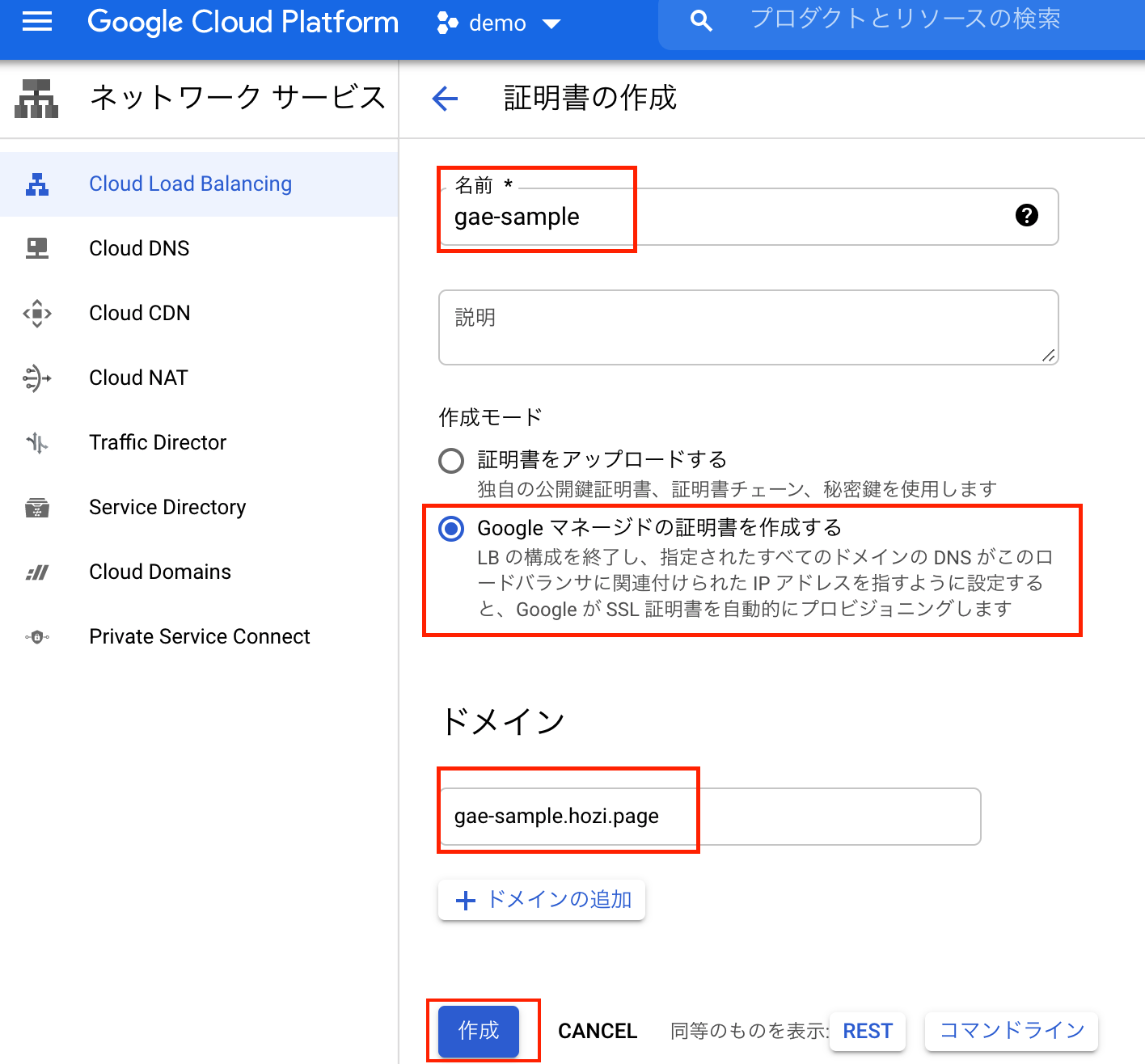
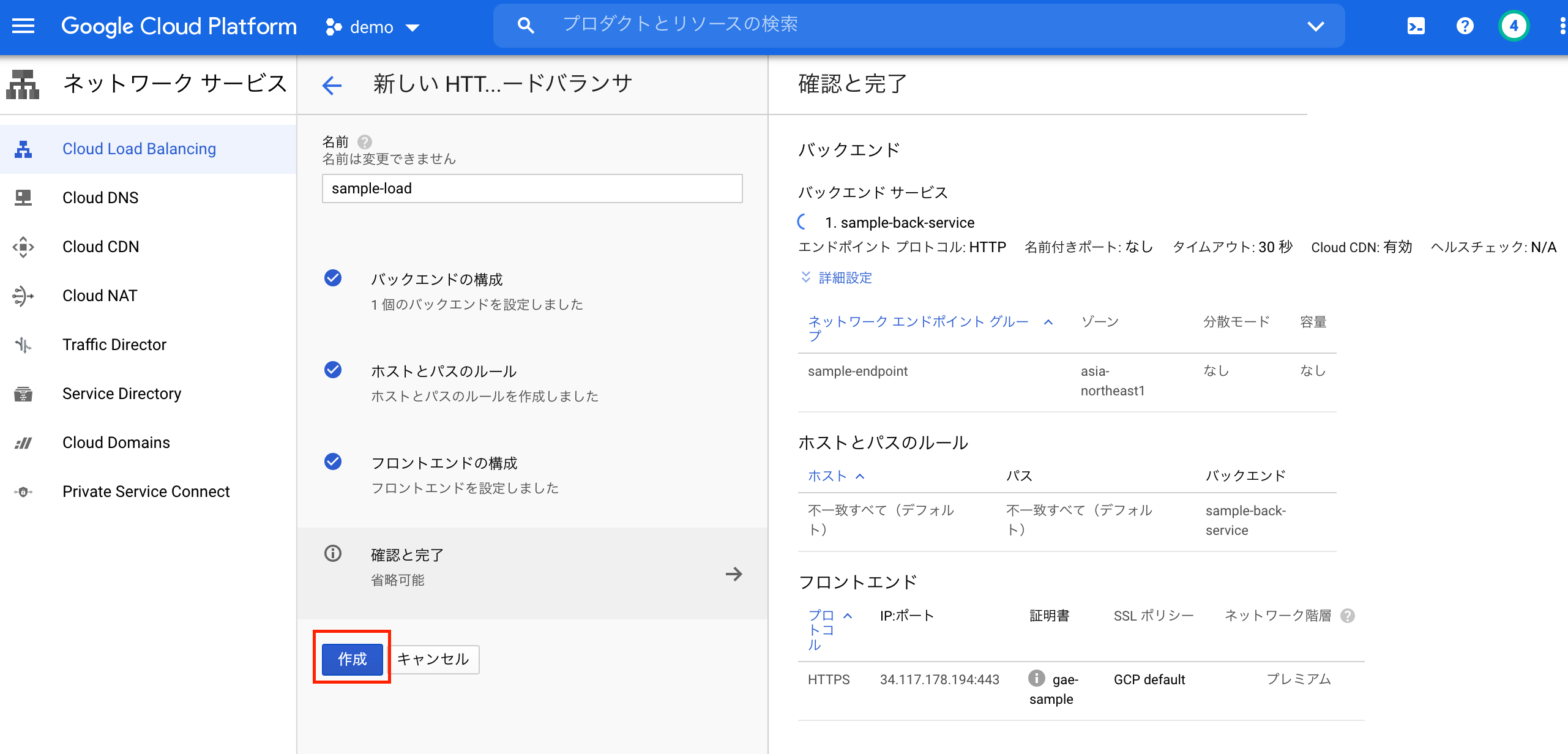
手順が結構多いです。根気強くいきましょう。
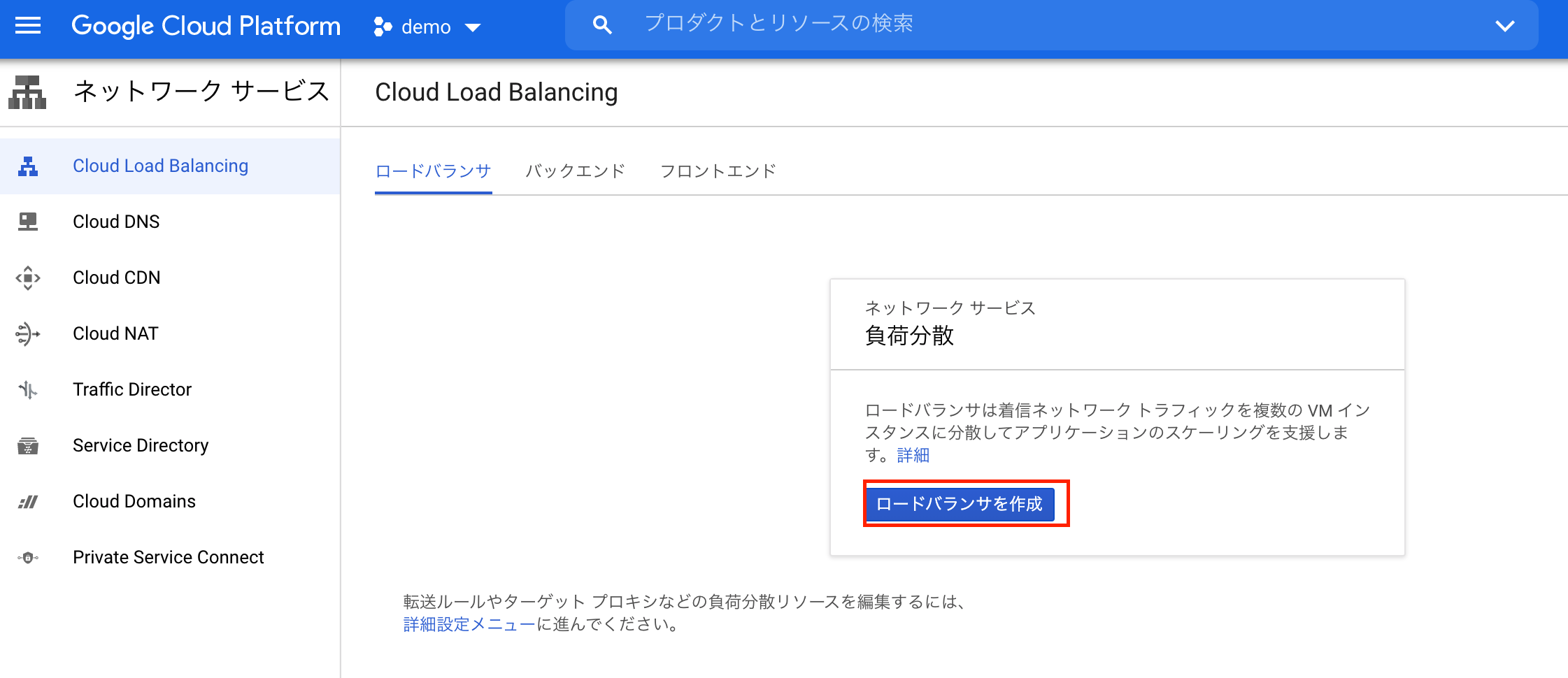
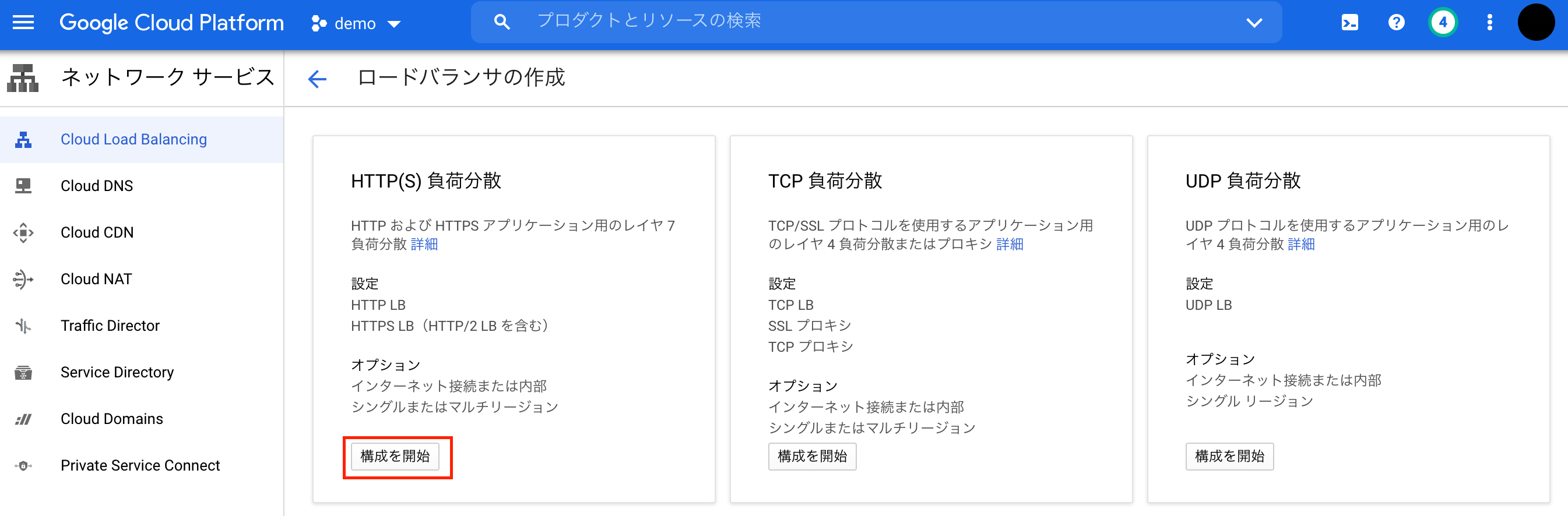
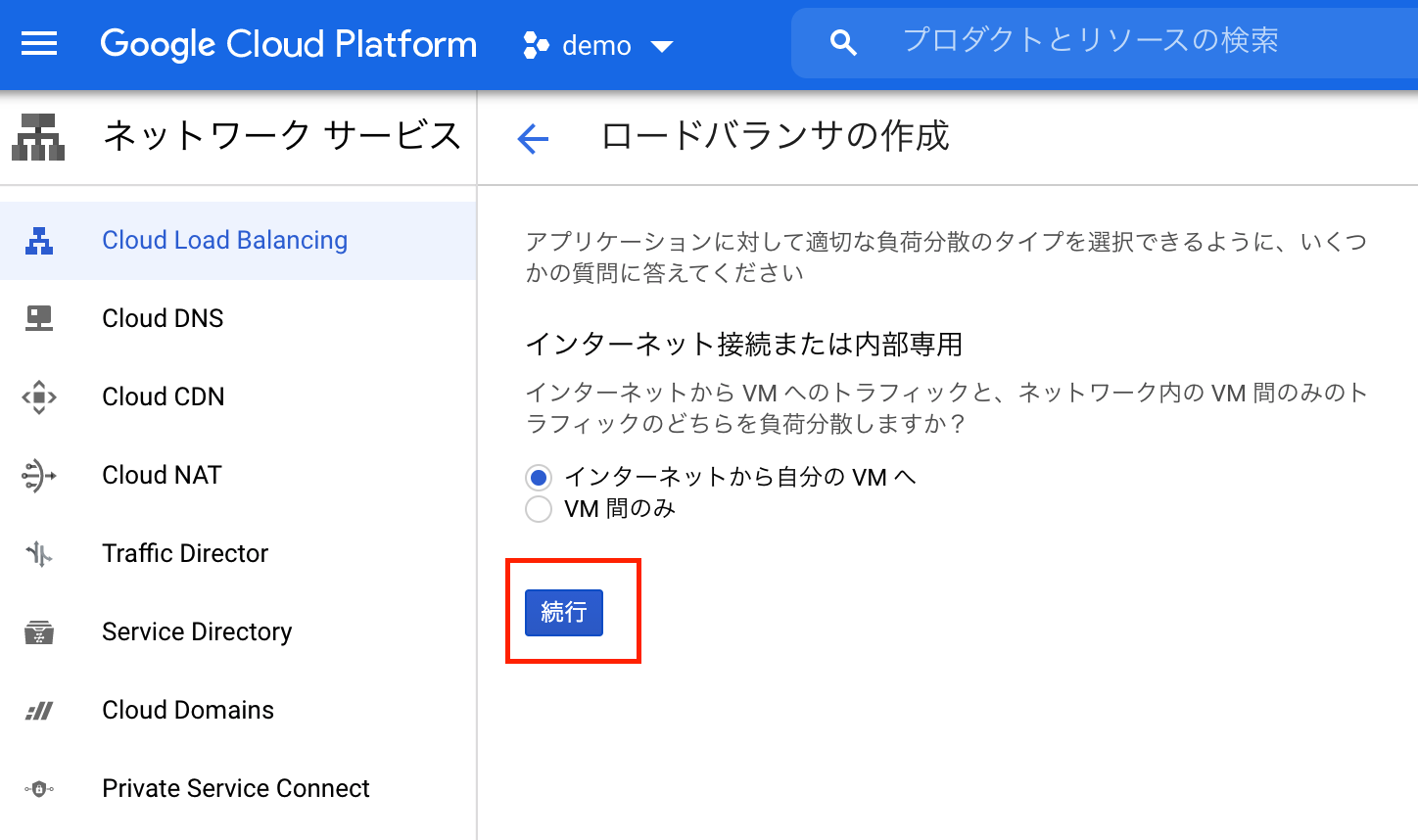
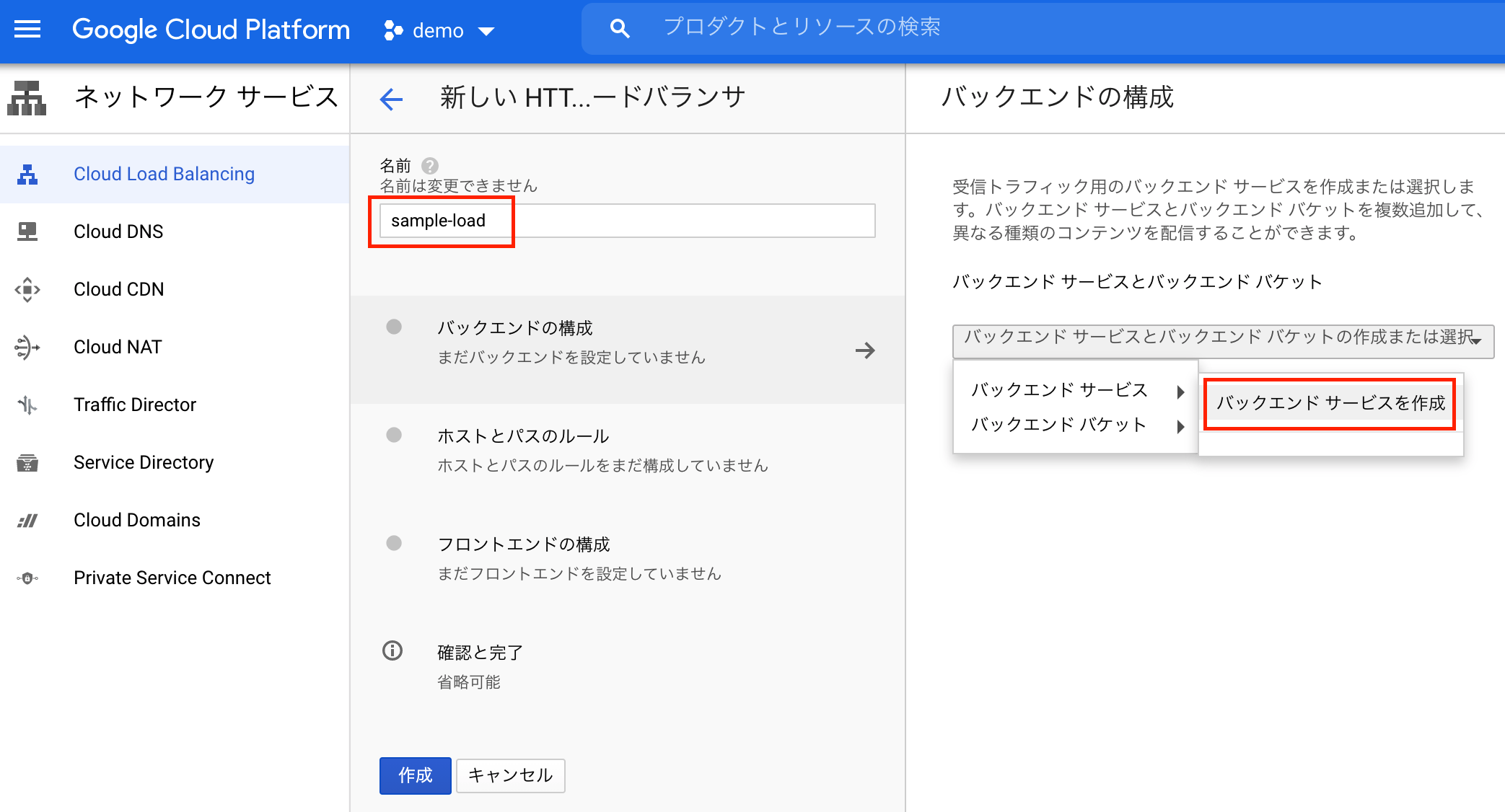
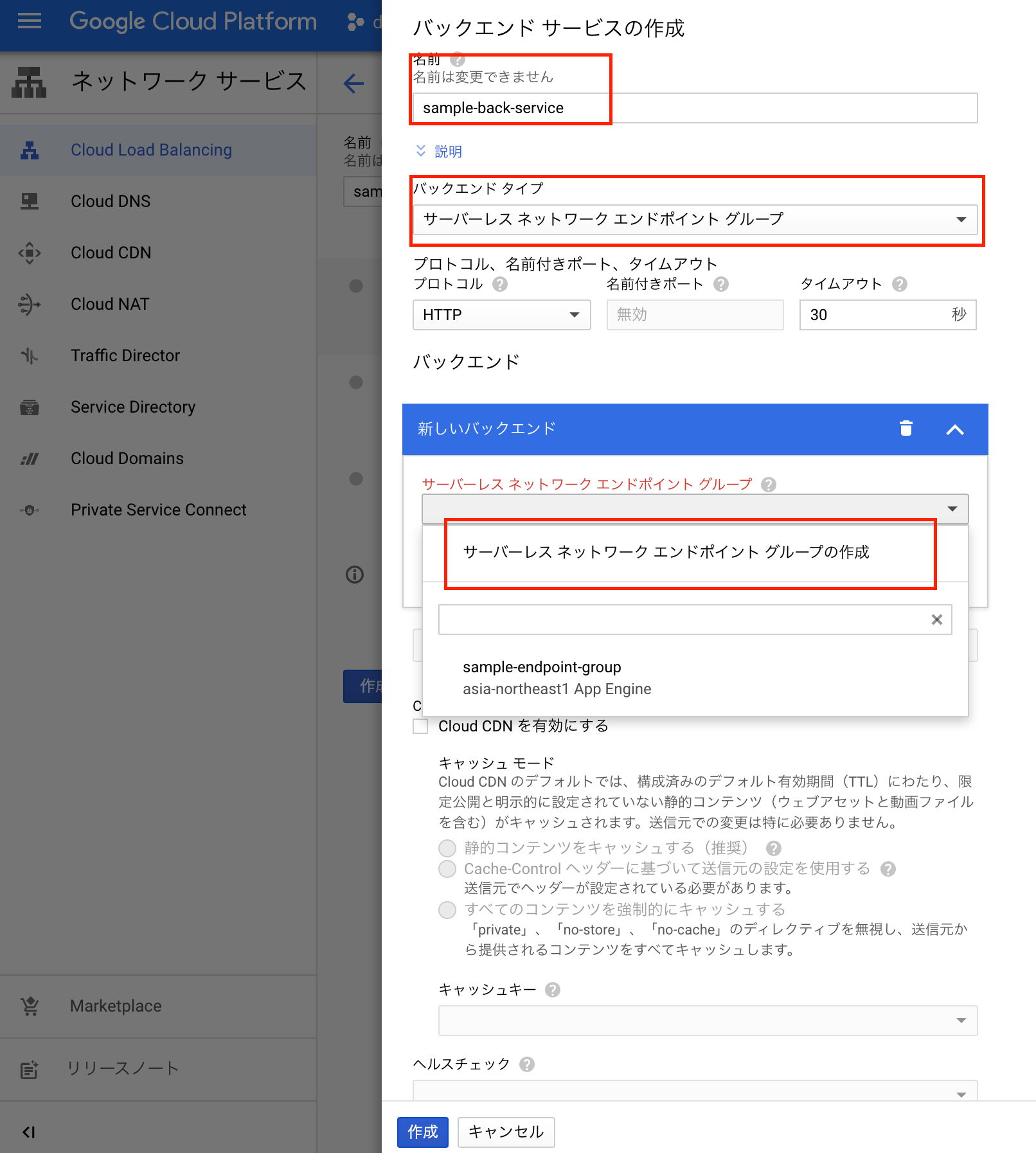
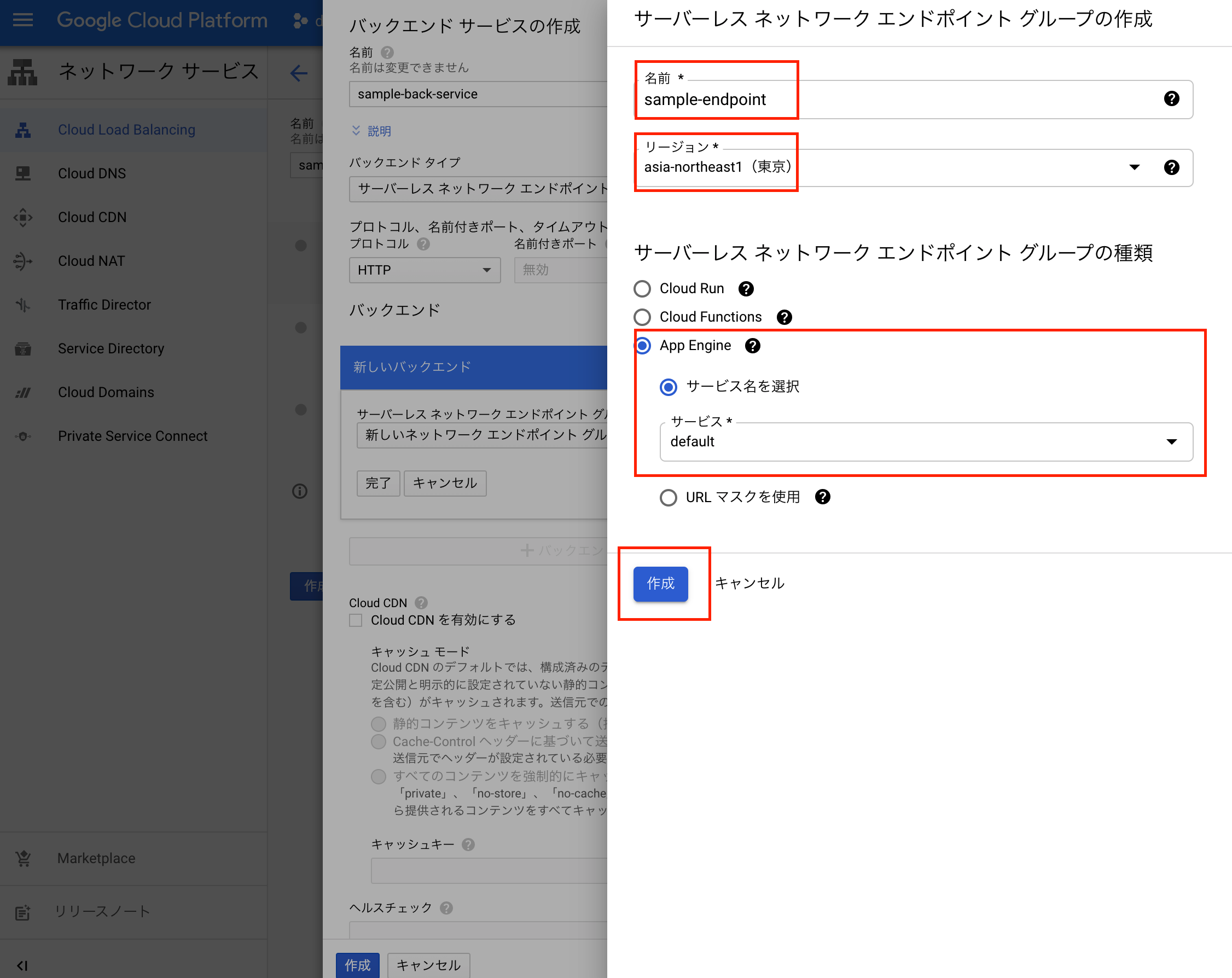
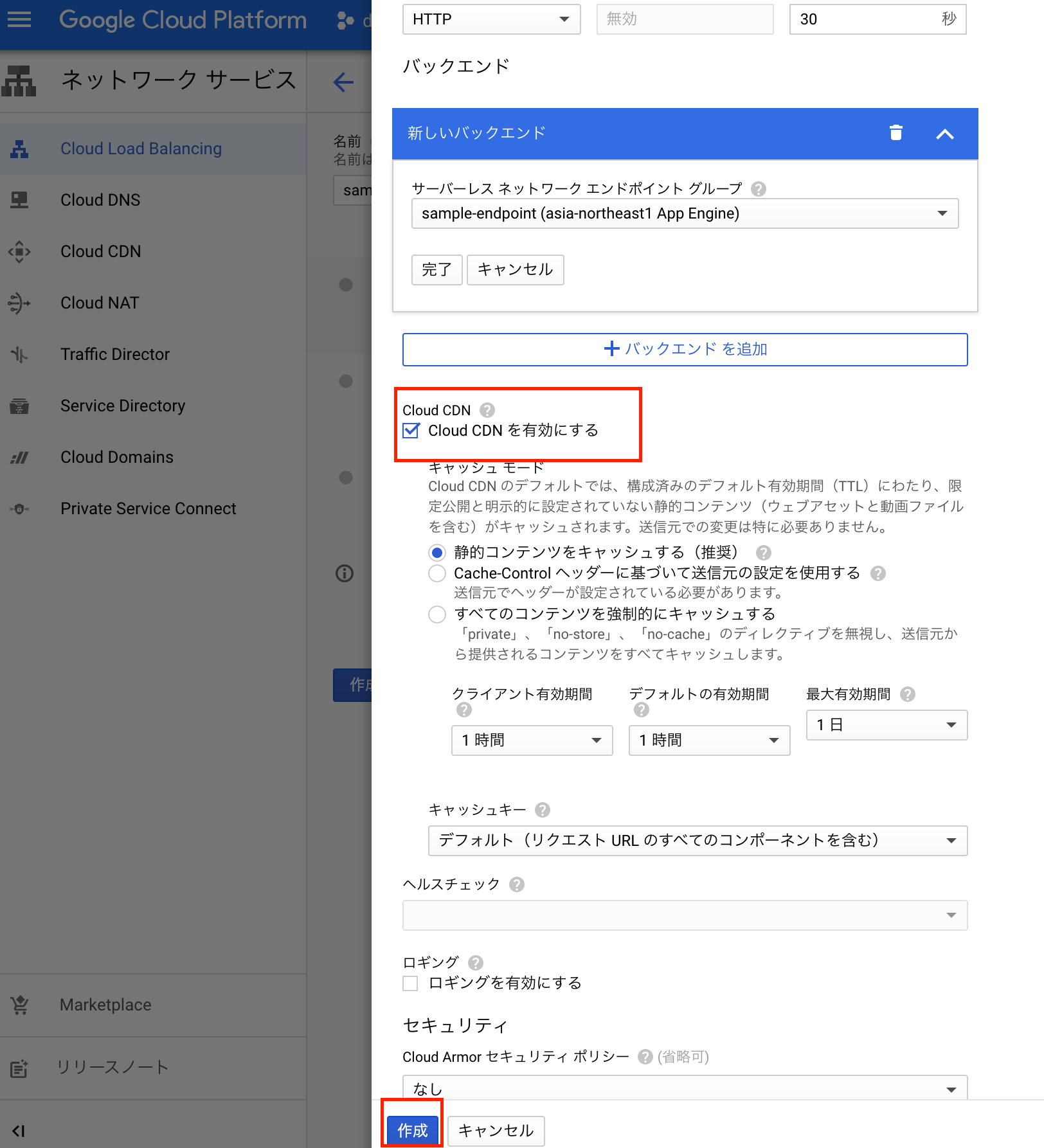
下記を指定する
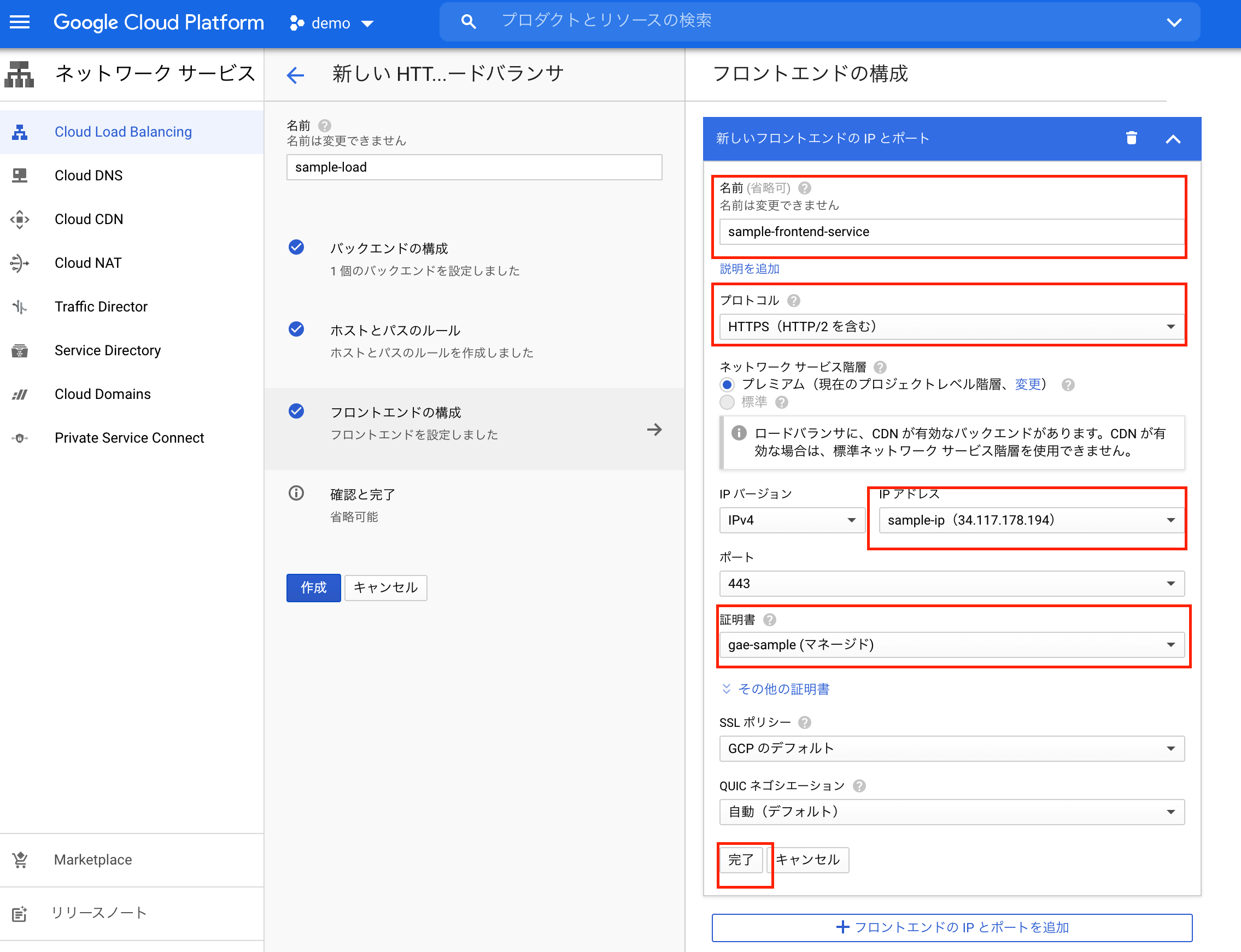
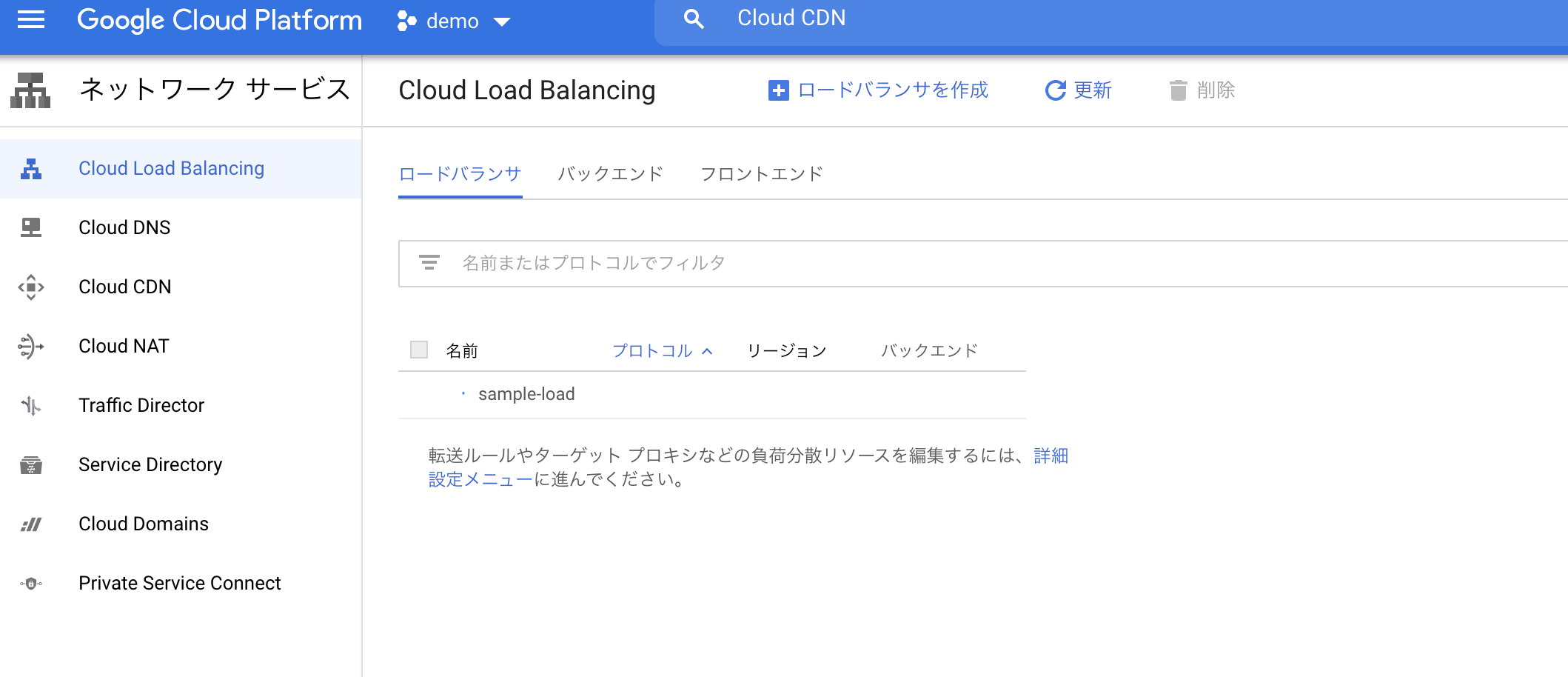
Cloud Load Balancingの設定を完了します
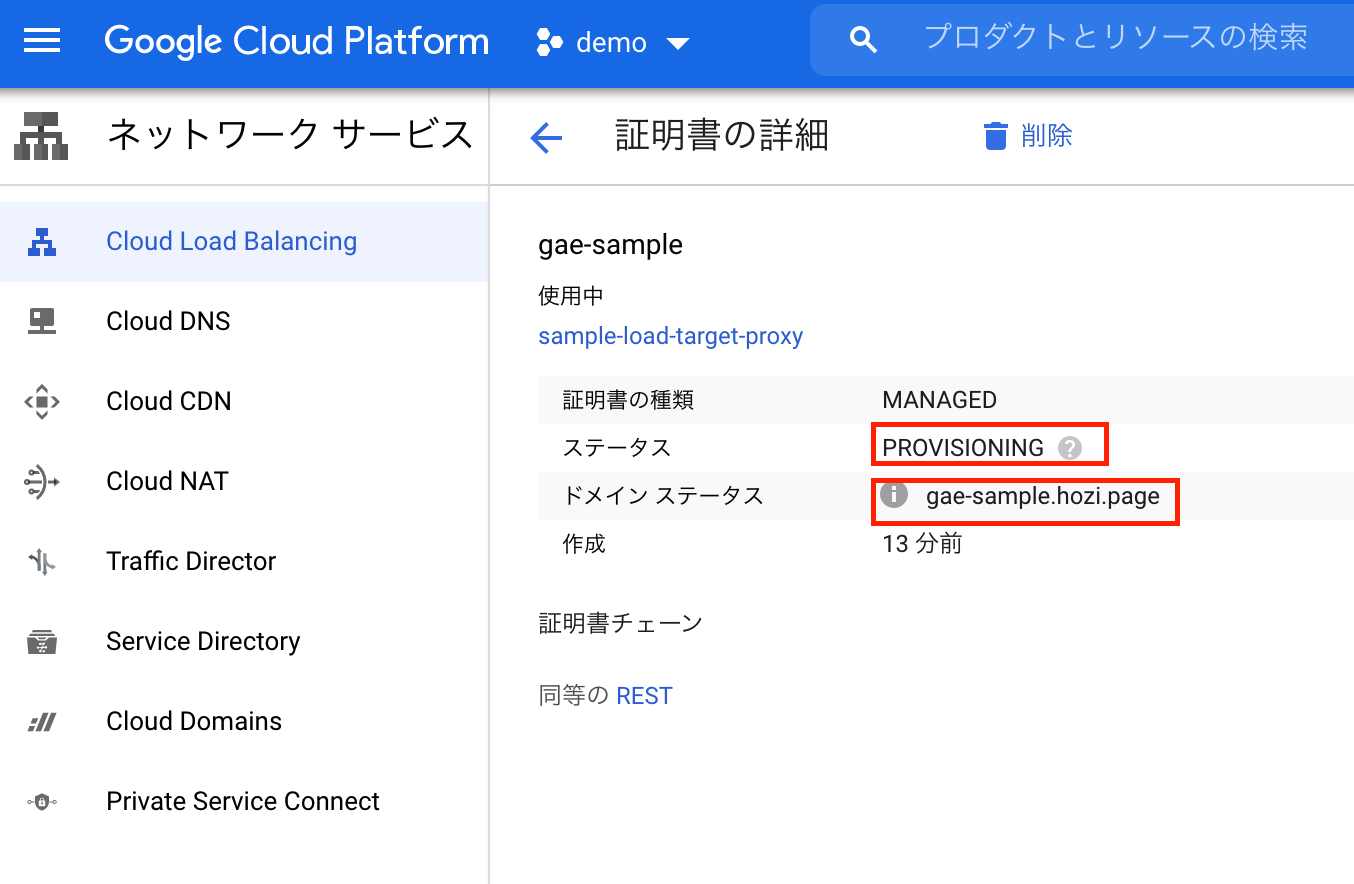
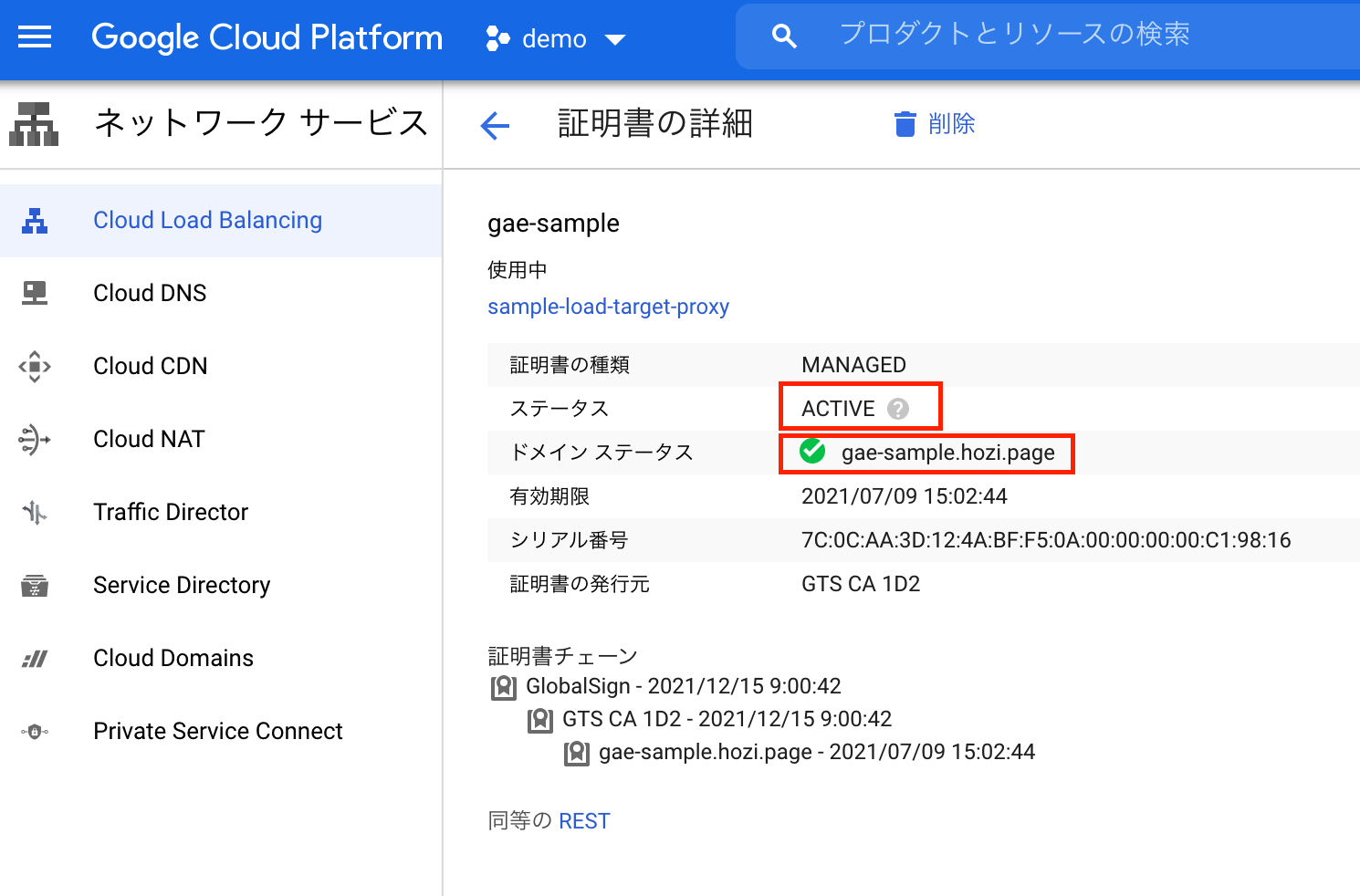
私が気づいたときには、(10分程度で実際はもっと短いと思います)ステータスがACTIVE。ドメインステータスに緑色のチェックマークが付きます。
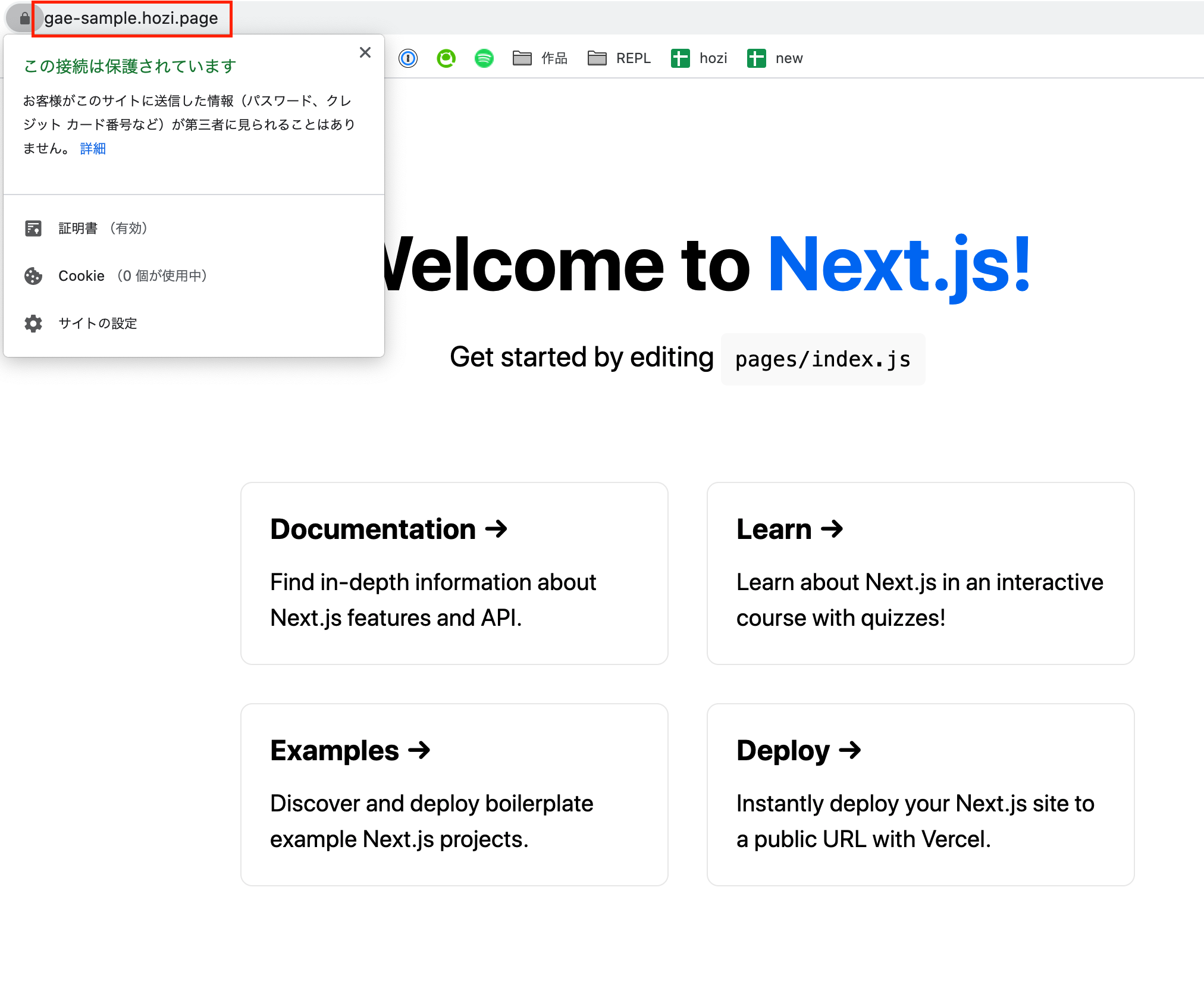
Cloud Load Balancing経由(HTTPS、独自ドメイン)でGAE上のアプリを閲覧することができました。
時刻を表示するライブラリを追加
$ yarn add luxon
$ yarn add -D @types/luxon
stale-while-revalidate対応のCDNでISRと同じような挙動を実現する記事を参考に、stale-while-revalidateの設定を入れる
import { DateTime } from 'luxon';

export const getServerSideProps = ({ res }) => {
  const serverTime = DateTime.local()
    .setZone('UTC+9')
    .toFormat('yyyy/MM/dd hh:mm:ss');

  res.setHeader(
    'Cache-Control',
    'public, s-maxage=10, stale-while-revalidate=86400',
  );

  return {
    props: {
      serverTime,
    },
  };
};

const Page = ({ serverTime }) => {
  return (
    <div>
      <div>
        {DateTime.local().setZone('UTC+9').toFormat('yyyy/MM/dd hh:mm:ss')}
        (現在)
      </div>
      <div>{serverTime}(サーバサイド)</div>
    </div>
  );
};

export default Page;
ビルド&デプロイ
$ yarn build && gcloud app deploy
stale-while-revalidate対応のCDNでISRと同じような挙動を実現する記事では、s-maxageが指定されています。
本オプションについて、私の理解がなく調べてみました。Cache-Controlヘッダのmax-ageとs-maxageの違いと使い道がわかりやすかったです。
そもそも、HTTPのキャッシュは大きく分けて2種類あります
私用キャッシュは他のクライアントに共有されないキャッシュを指し、わかりやすい例だとブラウザのキャッシュが当てはまります。共有キャッシュは、プロキシサーバーやCDNにといった中継者がもつキャッシュのことを共有キャッシュと呼びます。
max-ageは、私用キャッシュと共有キャッシュ向けのオプションで、s-maxageは共有キャッシュ向けのオプションとなります。共有キャッシュとしての設定は、s-maxageが優先されます。
今回利用したCloud CDNやAWS CloudFrontは、CDNサービスであり、s-maxageでキャッシュの有効期限を伝えます。
デプロイしたページに対してCommad+rを連打しています。途中でspaceを挟んでいるのは、更新していることをわかりやすくするためです。
(04:38:54) 推測を含むが、本時刻の少し前にキャッシュが作成される(※1) (04:38:55 - 04:39:03) クライアントサイドのJS側で取得している時刻は更新。SSRで取得している時刻は変化なし (04:39:04) SSRで取得している時刻が更新 (04:39:14) SSRで取得している時刻が更新
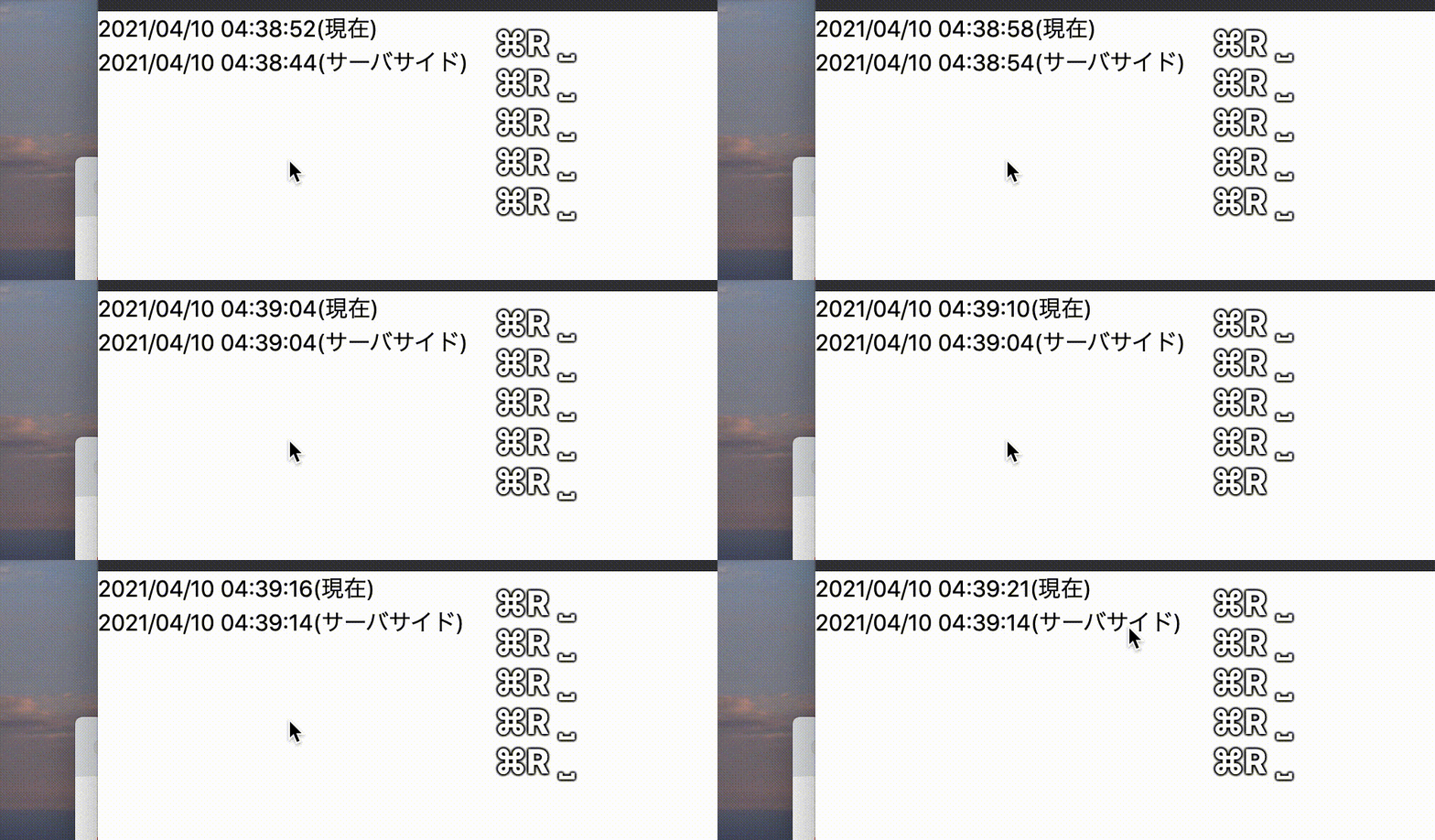
想定通り動いてそうですね...
stale-while-revalidateの挙動は、Stale-While-Revalidate ヘッダによるブラウザキャッシュの非同期更新参考になりました。
※1 s-maxageが切れた瞬間に、非同期的にキャッシュが作られるため、画面が変わったタイミング=キャッシュ作成時刻とは言えないため
GAEへホスティングする際に、想像以上詰まることがなく、良いサービスだと思いました。stale-while-revalidateは、パフォーマンス周りで非常に強力な機能なのでCloudFrontでも出来るといいなぁ...。
追加で、以下確認したいと思っています。別記事で書きたいですね。
二番煎じの記事ですが、参考になれば幸いです。GCPの画面キャプチャ疲れる...
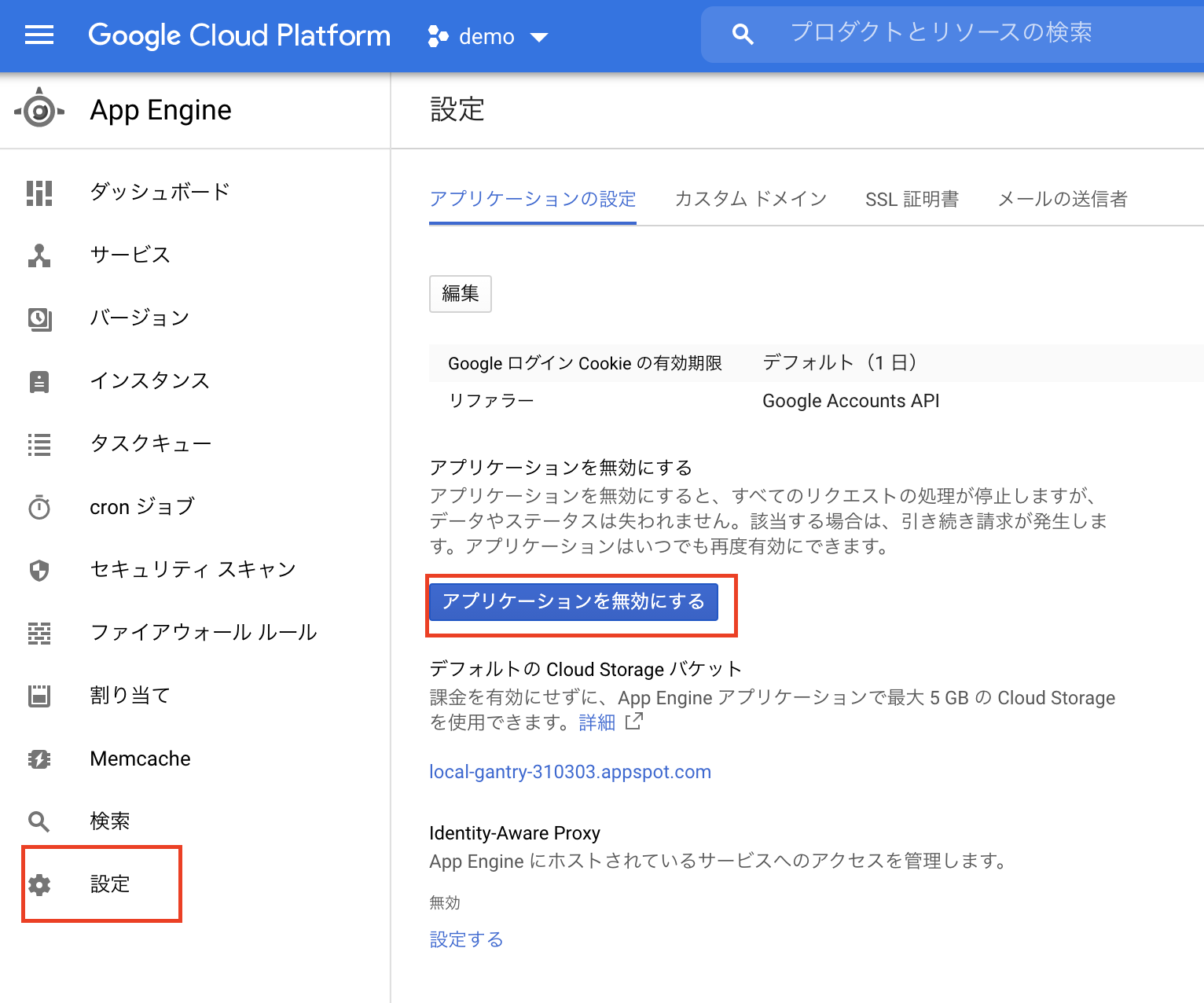
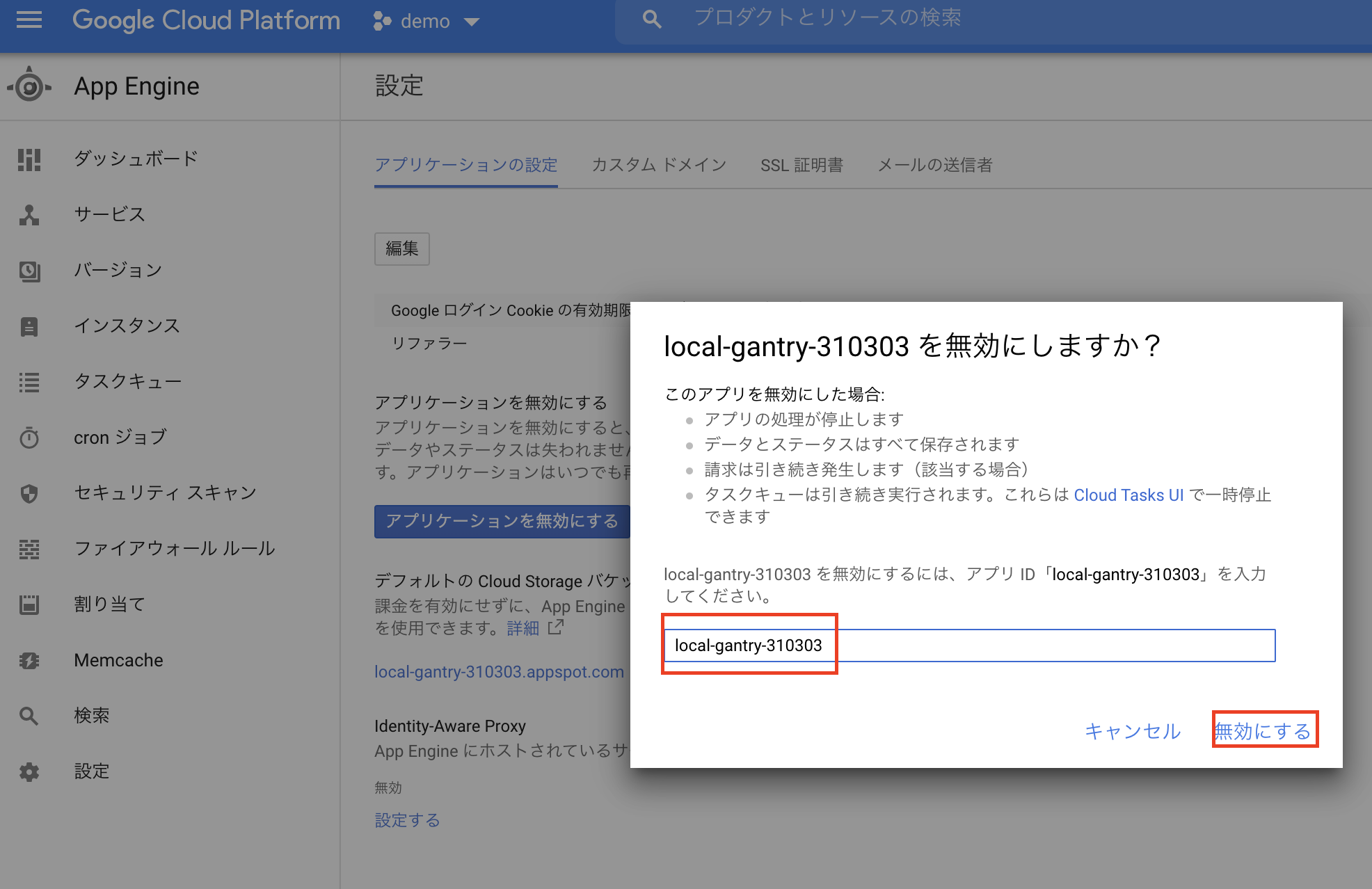
オプションから削除できます(キャプチャ忘れました..)